


Dj it! - Music Mixer
4.41.73K Reviews
App Specs
- Version
- 1.31
- Updated On
- License
- Free
- Downloads
- 10,000,000+
- Developer
- Gismart
- Categories
- Music & Audio
- Platform
- Android, iOS
Screenshots
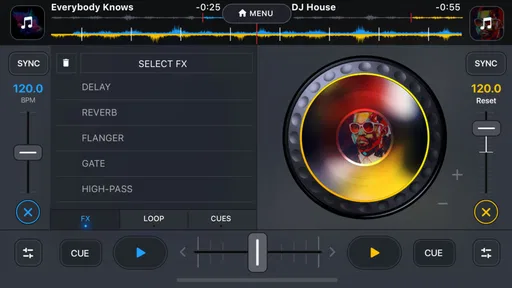
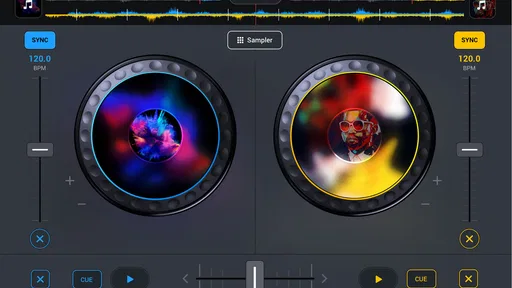
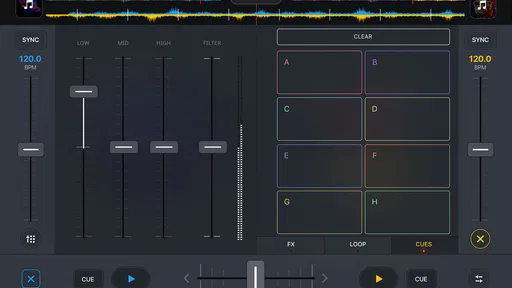
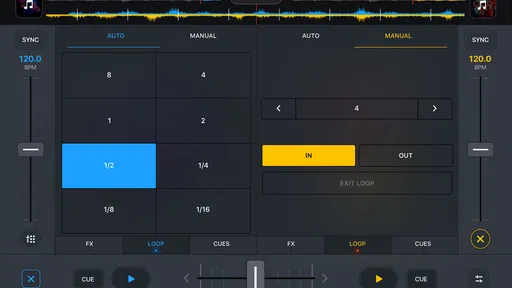
 Analysis by AppCompare
I tend to trust a music app more when it makes its purpose clear and lets me decide how much time, attention, and money I want to give it. DJ it! - Music Mixer is built around experimenting with tracks on a phone, rather than replacing a full desktop DJ setup. That distinction matters: I see it as a casual creative tool for trying ideas and learning what a mix can do, not as a promise of professional performance or a shortcut to becoming a working DJ.
Gismart publishes this free music-and-audio app, which has an average rating of 4.4 from around 119,000 ratings and more than 10 million installs. It is rated for Everyone, and its current version is 1.31. Those figures suggest that plenty of people have tried it, but popularity alone cannot tell me whether its approach suits a particular listener. I would judge it by whether the hands-on workflow feels enjoyable and whether its purchase prompts and choices feel comfortable to me.
A pocket mixing tool, not a full studio
The main appeal is immediacy: the app presents mixing as something I can explore on a phone, without first learning a complicated production program. That makes it a natural fit for a curious listener who wants to try transitions, effects, or simple track combinations during a spare moment. It is a different goal from editing a finished song, arranging original instruments, or preparing a detailed live set.
That difference also sets expectations. A mobile interface can make experimentation approachable, but it does not automatically give me the precision, screen space, or workflow I would want for a long session or a carefully prepared performance. I would start with short, low-stakes experiments and decide whether the controls feel comfortable before treating it as my main music tool.
What I would check before settling in
For any app that works with personal music, I like to pause before granting access and read the permission request shown on my device. I would allow only the access needed for the task I am trying to do, and I would review or change that choice later in the phone’s settings if my comfort level changes. I would not assume that a particular permission is requested or that a particular data practice applies without checking what the app and operating system actually show me.
Music can feel personal even when it is just a collection of everyday listening choices. Before importing anything, I would consider whether I am comfortable using those tracks in a mixing app, especially if I plan to share a result. I would also avoid putting private recordings or someone else’s material into a public-facing workflow unless I understood where it could go and had permission to use it.
There is a practical distinction between enjoying a mix on my own phone and distributing it elsewhere. If I make something for a gathering or a social post, I would keep in mind that music rights and platform rules can affect what I am allowed to share. The app can be a place to experiment; it does not remove the need to think about the rights attached to the audio I use.
Worth Reading Before You Choose

Flipboard Shows What News Apps Must Do Beyond the Feed

Switching to Android Auto Means Rethinking Your Driving Routine

Google Calendar Makes a Crowded Week Easier to Manage

Ludo King Makes the Most of the Minutes Between Plans

Baby Panda World Brings Quick Play to Modern Phones, but Its Game Library Feels Busy

ESPN’s Live Game View Makes Following Close Games Easier
Keep purchases and sharing on your terms
The app is free to download, while optional in-app purchases range from $7.99 to $49.99 per item. I would look at the purchase screen carefully before confirming anything and use the purchase controls on my device if I wanted to prevent accidental spending. A free download is a useful way to see whether the basic experience suits me, but it is still worth checking what is included before deciding that a paid option is necessary.
I would treat sharing as a deliberate choice rather than a required step. If I only want to practice, there is no reason to publish or send a mix just to enjoy the process. If I do share, I would check the audience and destination first, and keep personal details out of anything I post. That small pause is especially useful when a music app makes creative output easy to pass along.
Who is likely to enjoy it—and who may not
I think this kind of app is best for beginners, music fans who like tinkering, and anyone who wants a quick creative activity without opening a desktop program. It can also suit a casual host who wants to explore transitions before friends arrive, provided they are happy to practice rather than rely on an untested setup. Someone who needs detailed production controls, a dependable professional performance workflow, or extensive project management may be happier with a dedicated desktop tool or hardware designed for that job.
A useful first session is to pick a few familiar tracks, spend a little time learning where the controls are, and try one change at a time. That makes it easier to notice what the app is doing instead of moving several controls at once and losing track of the result. I would also save a version I like before experimenting further, if the available options allow it, so a promising idea is not lost to a later change.
Trust is partly about knowing when to stop
I do not need to hand over more access, share more widely, or buy anything to decide whether a music app is enjoyable. I can try the experience at my own pace, inspect the choices presented on my device, and stop if the interface or requests do not feel right. For me, that is a sensible way to approach any creative app that may involve personal media or optional spending.
My cautious recommendation is to give it a try if you want an approachable way to play with mixing, while keeping your expectations grounded. Treat it as a starting point for musical curiosity, check each choice as it appears, and use a more specialized setup if your needs become serious or precise. With that mindset, DJ it! - Music Mixer can be worth exploring without assuming it has to become your only way to work with music.
Have you ever wanted to unleash your inner DJ but didn't know where to start? Well, you're in luck because DJ it! - Music Mixer is here to turn your smartphone into a portable DJ booth. As someone who loves dabbling with music, I decided to give this app a spin—pun intended—and see what it has to offer.
First Impressions: Unboxing the Beat
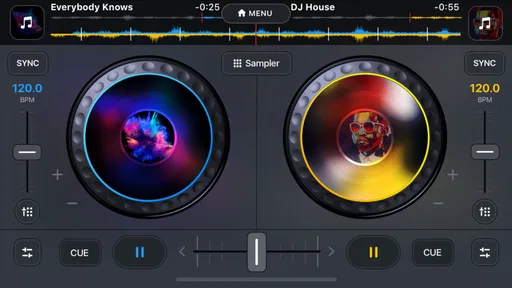
The first thing that hit me when I opened DJ it! - Music Mixer was the sleek interface. The app is designed with user-friendliness in mind, making the navigation as smooth as a well-mixed track. Even if you're a beginner, you won't feel overwhelmed by the layout. Everything is laid out intuitively, and the learning curve is surprisingly gentle.
Features That Make You Want to Groove
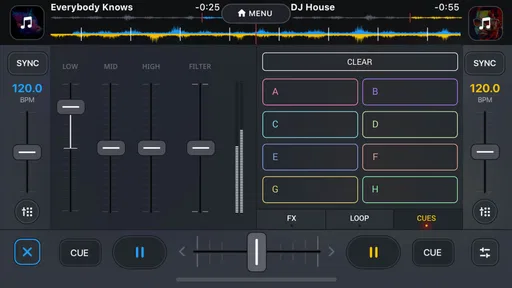
So, what can you do with this app? For starters, you get access to a full-fledged mixing console right in your pocket. You can play around with two tracks simultaneously, which is super fun. The crossfader is smooth, letting you switch between songs effortlessly. And the cool part? You can add effects like echo, flanger, and reverb to make your mixes sound like they were crafted by a pro.
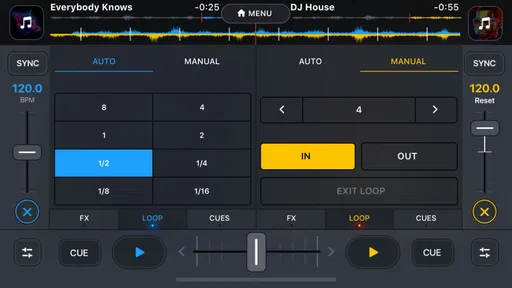
Another feature I love is the BPM (Beats Per Minute) sync. It's like having a little helper that ensures your tracks are perfectly aligned. No awkward silences or mismatched beats here. Plus, the app supports various formats, so you can import your favorite tracks without a hitch.
Customizing Your DJ Experience
Customization is the name of the game with DJ it! You can tweak the EQ settings to suit your style. Whether you're into deep bass or crisp highs, the app lets you adjust the sound to your liking. You can even record your mixes and save them for later. It’s like having your own little music studio wherever you go.
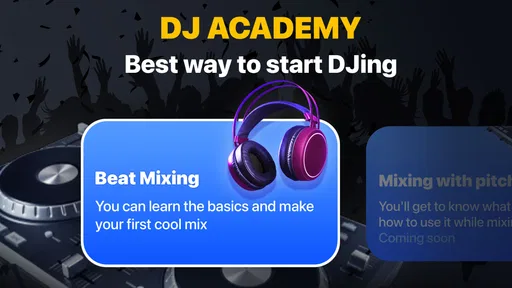
For the budding DJs out there, the app offers tutorials that guide you through the basics of mixing. It's like having a personal coach, helping you master the art of DJing. I found the lessons easy to follow, and they really helped me improve my skills.
Performance and User Experience
When it comes to performance, DJ it! holds its own. I didn’t experience any lags or crashes, which is a relief because nothing kills a vibe faster than technical difficulties. The app runs smoothly on both Android and iOS, and the updates keep improving it.
Now, let’s talk about the community. DJ it! has a vibrant user base, and you can share your mixes with other users. It’s a great platform to get feedback and connect with fellow music enthusiasts. You might even discover new tracks or mix ideas from others.
Wrapping It Up: Is DJ it! Worth Your Time?
So, is DJ it! - Music Mixer the app you’ve been waiting for? If you’re someone who loves music and wants to try their hand at DJing, I’d say absolutely yes. The app strikes a great balance between functionality and ease of use. Whether you’re a beginner or a seasoned DJ, you’ll find something to love here.
The app is free to download, with some in-app purchases available if you want to unlock additional features. But even without spending a dime, you can have a lot of fun mixing tracks and exploring your musical creativity.
In the end, DJ it! is more than just an app; it’s an experience. So grab your headphones, dive into your music library, and start mixing. Who knows? You might just find your new favorite hobby.
Pros
- Intuitive interface for easy mixing.
- Wide range of sound effects included.
- Supports multiple audio formats.
- Real-time tempo and pitch adjustment.
- Seamless integration with Spotify.
Cons
- Limited free features available.
- Requires in-app purchases for full access.
- No offline mode for premium features.
- Occasional ads interrupt usage.
- High battery consumption during use.
FAQs for Dj it! - Music Mixer
What are the main features of Dj it! - Music Mixer?
Dj it! - Music Mixer offers a wide range of features including a user-friendly interface, beat matching, pitch control, and a vast library of sound effects and samples. It also provides tutorials for beginners, making it accessible for all skill levels. The app supports various audio formats and allows users to save and share their mixes.
Is Dj it! - Music Mixer suitable for beginners?
Yes, Dj it! - Music Mixer is designed to be intuitive for beginners while still offering advanced features for experienced DJs. It includes step-by-step tutorials and guides, helping new users understand the basics of mixing and creating music. This makes it an excellent choice for anyone looking to start DJing.
Does Dj it! - Music Mixer require an internet connection to use?
While Dj it! - Music Mixer can be used offline, certain features such as accessing online music libraries or sharing mixes may require an internet connection. It’s advisable to check the specific features you plan to use to ensure you have the necessary connectivity.
Can I use Dj it! - Music Mixer on both Android and iOS devices?
Yes, Dj it! - Music Mixer is available for download on both Android and iOS platforms. This cross-platform availability allows users to enjoy the app on a variety of devices, ensuring a seamless experience whether you switch between different operating systems or stick with one.
Are there any in-app purchases in Dj it! - Music Mixer?
Dj it! - Music Mixer offers a free version with basic features, but there are various in-app purchases available. These may include additional sound packs, effects, or premium features that enhance the overall experience. Users can choose to purchase these to unlock more advanced tools and options.


